
Microsoft Office 365 Planner



Beschrijving
Verrijk uw carrière met OEM’s
ICT-Trainingen
Beoordeeld met een 9,0 – een van de best gewaardeerde ICT-opleiders
van Nederland.
Waarom OEM?
- Meer dan 20 jaar ervaring in ICT-trainingen
- Ruim 1000 cursussen van 200 topmerken
- Gecertificeerde docenten & bekroonde e-learning
- Officiële partner van Microsoft, EC-Council, Certiport en Pearson VUE
- Flexibele leervormen: klassikaal, online, e-learning of blended
Start vandaag nog en ontwikkel uzelf of uw team met een training die écht resultaat oplevert.
Let op: bij het aanvragen van informatie vragen wij om een telefoonnummer, zodat wij u snel en persoonlijk kunnen adviseren.
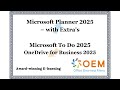
Wil je beter samenwerken, taken effectief beheren en documenten veilig delen? Dan is het Microsoft Planner (2025) E-Learning Pakket een slimme keuze. Dit pakket bundelt drie krachtige Microsoft 365-tools voor optimale productiviteit:
- Microsoft Planner 2025 – Voor visuele taak- en projectplanning
- Microsoft To Do 2025 – Voor persoonlijke taken en dagelijkse focus
- OneDrive for Business 2025 – Voor veilige cloudopslag en samenwerking
Je krijgt 1 jaar 24/7 toegang tot interactieve video’s met spraak, praktische oefeningen, toetsen per hoofdstuk en automatische voortgangsmonitoring. Alles om direct efficiënt te werken binnen je organisatie.
Beheers visuele projectplanning met Microsoft…


Veelgestelde vragen
Er zijn nog geen veelgestelde vragen over dit product. Als je een vraag hebt, neem dan contact op met onze klantenservice.
Verrijk uw carrière met OEM’s
ICT-Trainingen
Beoordeeld met een 9,0 – een van de best gewaardeerde ICT-opleiders
van Nederland.
Waarom OEM?
- Meer dan 20 jaar ervaring in ICT-trainingen
- Ruim 1000 cursussen van 200 topmerken
- Gecertificeerde docenten & bekroonde e-learning
- Officiële partner van Microsoft, EC-Council, Certiport en Pearson VUE
- Flexibele leervormen: klassikaal, online, e-learning of blended
Start vandaag nog en ontwikkel uzelf of uw team met een training die écht resultaat oplevert.
Let op: bij het aanvragen van informatie vragen wij om een telefoonnummer, zodat wij u snel en persoonlijk kunnen adviseren.
Wil je beter samenwerken, taken effectief beheren en documenten veilig delen? Dan is het Microsoft Planner (2025) E-Learning Pakket een slimme keuze. Dit pakket bundelt drie krachtige Microsoft 365-tools voor optimale productiviteit:
- Microsoft Planner 2025 – Voor visuele taak- en projectplanning
- Microsoft To Do 2025 – Voor persoonlijke taken en dagelijkse focus
- OneDrive for Business 2025 – Voor veilige cloudopslag en samenwerking
Je krijgt 1 jaar 24/7 toegang tot interactieve video’s met spraak, praktische oefeningen, toetsen per hoofdstuk en automatische voortgangsmonitoring. Alles om direct efficiënt te werken binnen je organisatie.
Beheers visuele projectplanning met Microsoft Planner. Ontdek hoe je teams optimaal laat samenwerken met duidelijke taken, deadlines en verantwoordelijkheden.
Cursusinhoud
Enhancing productivity with Microsoft To Do (2025)
Course: 33 Minutes
- Overview: Enhancing productivity with Microsoft To Do (2025)
- Getting started with Microsoft To Do
- Adding tasks in Microsoft To Do
- Prioritizing tasks in Microsoft To Do
- Organizing tasks in Microsoft To Do
- Setting up categories in Microsoft To Do
- Using smart lists in Microsoft To Do
- Searching, sorting and grouping tasks in Microsoft To Do
- Managing tasks in Microsoft To Do
- Knowledge Check: Enhancing productivity with Microsoft To Do
Sharing & collaborating with Microsoft To Do (2025)
Course: 38 Minutes
- Overview: Sharing & collaborating with Microsoft To Do (2025)
- Creating lists in Microsoft To Do
- Organizing your lists in Microsoft To Do
- Managing lists in Microsoft To Do
- Sharing a list in Microsoft To Do
- Working with shared lists in Microsoft To Do
- Configuring settings in Microsoft To Do
- Integrating tasks from Outlook in Microsoft To Do
- Integrating tasks with Planner and Teams in Microsoft To Do
- Knowledge Check: Sharing & collaborating with Microsoft To Do
Getting started with OneDrive for Business (2025)
Course: 47 Minutes
- Overview: Getting started with OneDrive for Business (2025)
- Connecting to OneDrive for Business
- Navigating the OneDrive for Business interface
- Using OneDrive for Business on your device
- Uploading files and folders to OneDrive for Business
- Downloading files and folders from OneDrive for Business
- Creating items in OneDrive for Business
- Organizing files in OneDrive for Business
Sorting and filtering files in OneDrive for Business - Searching for files in OneDrive for Business
- Deleting and recovering files in OneDrive for Business
- Knowledge Check: Getting started with OneDrive for Business
Sharing and collaborating in OneDrive for Business (2025)
Course: 47 Minutes
- Overview: Sharing and collaborating in OneDrive for Business (2025)
- Sharing OneDrive for Business files
- Creating shareable links with OneDrive for Business
- Setting up a shared folder in OneDrive for Business
- Managing permissions in OneDrive for Business
- Browsing shared items in OneDrive for Business
- Requesting files in OneDrive for Business
- Adding comments to files in OneDrive for Business
- Mentioning and assigning tasks in OneDrive for Business files
- Co-authoring with others in OneDrive for Business
- Knowledge Check: Sharing and collaborating in OneDrive for Business
Integrating other applications with OneDrive for Business (2025)
Course: 44 Minutes
- Overview: Integrating other applications with OneDrive for Business (2025)
- Using Microsoft 365 apps with OneDrive for Business
- Using Microsoft Teams to manage OneDrive for Business files
- Using OneDrive for Business files in Microsoft To Do and Planner
- Summarizing and comparing files with Copilot in OneDrive for Business
- Getting insights with Copilot in OneDrive for Business
- Finding your OneDrive for Business files with Copilot Chat
- Automating file management with Power Automate in OneDrive for Business
- Using OneDrive for Business files in Smartsheet
- Using OneDrive for Business files in Asana
- Knowledge Check: Integrating other applications with OneDrive for Business
Managing files and configuring OneDrive for Business (2025)
Course: 50 Minutes
- Overview: Managing files and configuring OneDrive for Business (2025)
- Requesting access to items in OneDrive for Business
- Viewing a file's version history in OneDrive for Business
- Getting access to shared libraries in OneDrive for Business
- Using OneDrive for Business to sync and manage SharePoint items
- Managing third-party apps in OneDrive for Business
- Discovering OneDrive for Business settings
- Managing sync and backup options in OneDrive for Business
- Getting storage and sharing insights in OneDrive for Business
- Optimizing your PC storage with OneDrive for Business
- Restoring items in OneDrive for Business
- Knowledge Check: Managing files and configuring OneDrive for Business
Getting started with Planner (2025)
Course: 40 Minutes
- Overview: Getting started with Planner (2025)
- Getting access to Planner
- Working with My Day and My Tasks in Planner
- Exploring My Plans interface in Planner
- Creating a plan in Planner
- Discovering a plan interface in Planner
- Adding a task in Planner
- Sharing a plan in Planner
- Managing a plan in Planner
- Configuring notification settings in Planner
- Knowledge Check: Getting started with Planner
Organizing plans and tasks in Planner (2025)
Course: 40 Minutes
- Overview: Organizing plans and tasks in Planner (2025)
- Adding and managing members in Planner
- Creating tasks in Planner
- Using buckets in Planner
- Using labels in Planner
- Attaching files and photos to tasks in Planner
- Managing recurring tasks in Planner
- Tracking task progress in Planner
- Adding a checklist to a task in Planner
- Moving and copying tasks in Planner
- Knowledge Check: Organizing plans and tasks in Planner
Working with advanced plans in Planner (2025)
Course: 36 Minutes
- Overview: Working with advanced plans in Planner (2025)
- Upgrading and downgrading plans in Planner
- Creating a premium plan in Planner
- Managing tasks in a premium Planner plan
- Organizing tasks in a premium plan in Planner
- Creating task dependencies in Planner
- Viewing assignments and workloads in Planner
- Setting goals in a premium plan with Planner
- Using Copilot in Planner
- Knowledge Check: Working with advanced plans in Planner
Integrating Microsoft 365 apps with Planner (2025)
Course: 32 Minutes
- Overview: Integrating Microsoft 365 apps with Planner (2025)
- Adding comments to tasks in Planner
- Locating task attachments in Planner
- Integrating Microsoft To Do with Planner
- Using Microsoft Loop for task integration in Planner
- Integrating a plan in Microsoft Teams with Planner
- Connecting Planner conversations to Microsoft Teams
- Knowledge Check: Integrating Microsoft 365 apps with Planner
Exploring Project for the web (2025)
Course: 42 Minutes
- Overview: Exploring Project for the web (2025)
- Discovering Project for the web
- Creating a project in Project for the web
- Importing a project to Project for the web
- Inserting and editing tasks in Project for the web
- Organizing a project in Project for the web
- Filtering and formatting tasks in Project for the web
- Managing tasks in Project for the web
- Adding dependencies and goals in Project for the web
- Managing projects in Project for the web
- Knowledge Check: Exploring Project for the Web
Specificaties
Taal: Engels
Kwalificaties van de
Instructeur: Gecertificeerd
Cursusformaat en Lengte: Lesvideo's met
ondertiteling, interactieve elementen en opdrachten en testen
Lesduur: 3:10 uur
Voortgangsbewaking: Ja
Toegang tot Materiaal: 365 dagen
Technische Vereisten: Computer of mobiel
apparaat, Stabiele internetverbindingen Webbrowserzoals Chrome,
Firefox, Safari of Edge.
Support of Ondersteuning: Helpdesk en online
kennisbank 24/7
Certificering: Certificaat van deelname in
PDF formaat
Prijs en Kosten: Cursusprijs zonder extra
kosten
Annuleringsbeleid en Geld-Terug-Garantie: Wij
beoordelen dit per situatie
Award Winning E-learning: Ja
Tip! Zorg voor een rustige leeromgeving, tijd
en motivatie, audioapparatuur zoals een koptelefoon of luidsprekers
voor audio, accountinformatie zoals inloggegevens voor toegang tot
het e-learning platform.
Blijf op de hoogte van nieuwe ervaringen
Deel je ervaring
Heb je ervaring met deze cursus? Deel je ervaring en help anderen kiezen. Als dank voor de moeite doneert Springest € 1,- aan Stichting Edukans.Er zijn nog geen veelgestelde vragen over dit product. Als je een vraag hebt, neem dan contact op met onze klantenservice.